

Free Quiz Maker for Teachers.
Fair Grading, Zero Ads.
A free quiz maker for teachers: build in your browser or on Android, share a code or QR, and let typo-tolerant grading do the marking. No ads.
 Android app on Google Play · 1 Nov 2026
In 23 days
Android app on Google Play · 1 Nov 2026
In 23 days
 100% Free
Any Browser & Android 7.0+
100% Free
Any Browser & Android 7.0+
 Same Quiz, Every Device

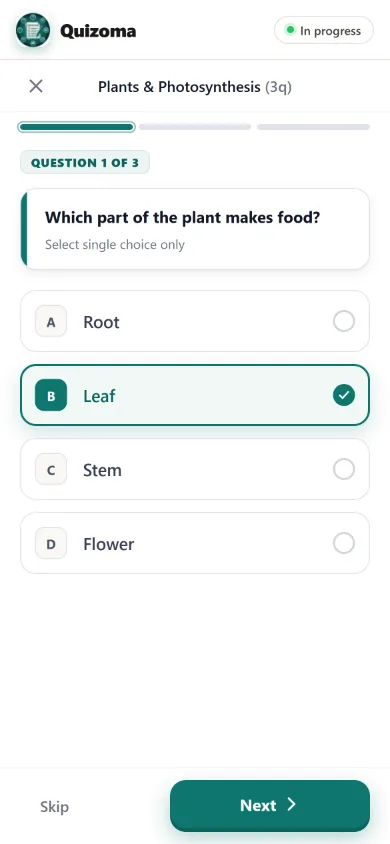
MCQ, Written, Polls & Blanks
 Versatile

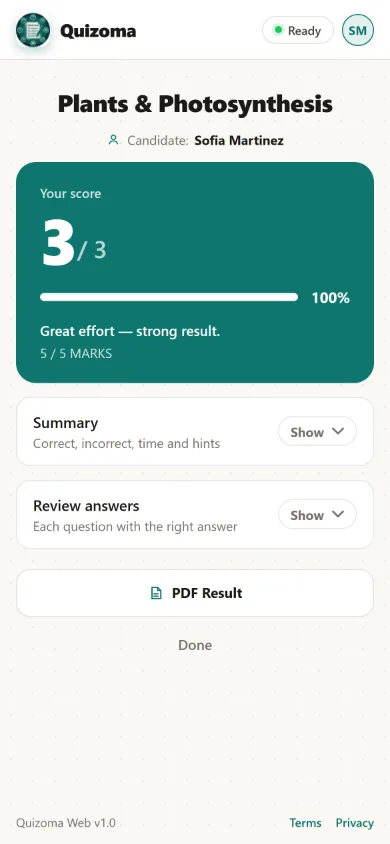
Auto Grading or Manual Marking
 Typo-Tolerant

100% Free • No Ads • Auto Sync
 Android & Web

Which organelle is known as the powerhouse of the cell?
 Close spelling accepted: "mitocondria"
+100 Pts
Close spelling accepted: "mitocondria"
+100 Pts
Select all statements that are true about photosynthesis.
2 of 2 correct — partial credit enabled
+100 Pts
True or False: Mitochondria are found only in animal cells.
Optional "Explain Your Stance" follow-up available
Answered
Briefly explain why typo-tolerant grading matters.
"Participants aren't unfairly marked wrong for small spelling slips, so grades reflect what they actually know."
Private remark: "Great explanation!"
Reviewed
The powerhouse of the cell is the mitochondria.
Accepted answer matched
+100 Pts
Quick pulse check: how confident do you feel right now?
Ungraded — opinion only
Anonymous
Now on the web.
Everything you do in the app — build, share, grade, announce — in any browser, on the same quizzes.
Six question types, templates and shortcuts — a whole quiz in minutes.
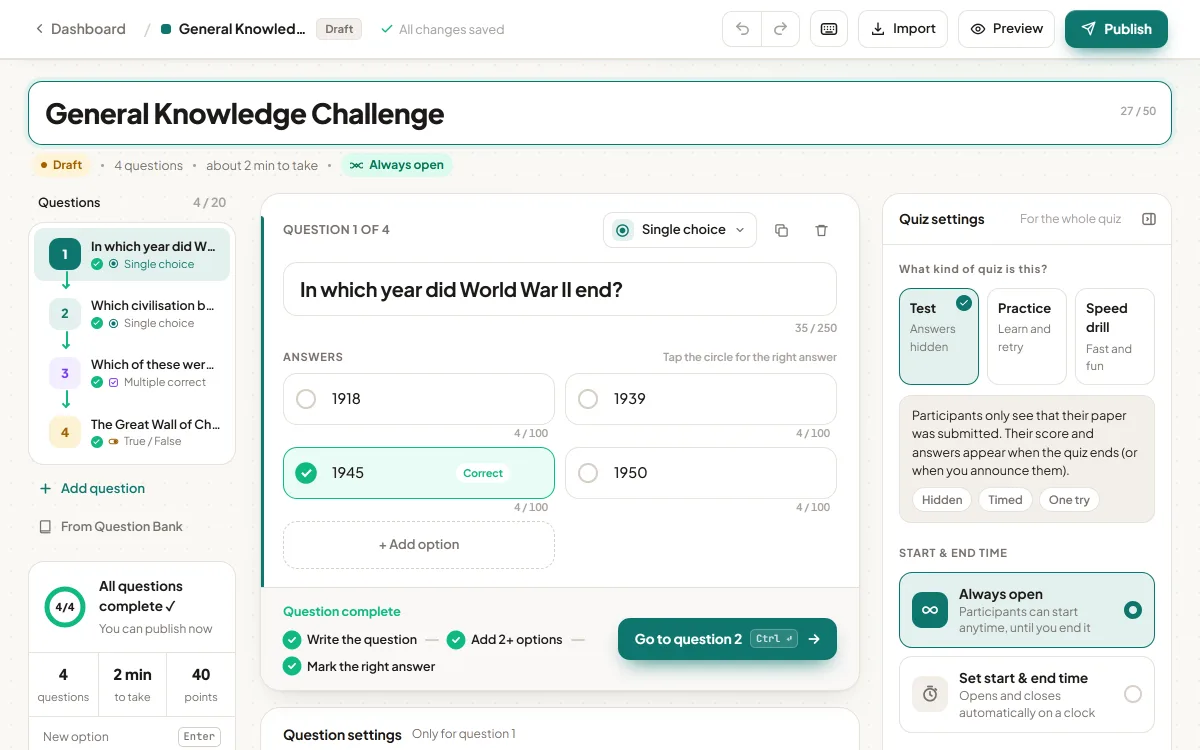
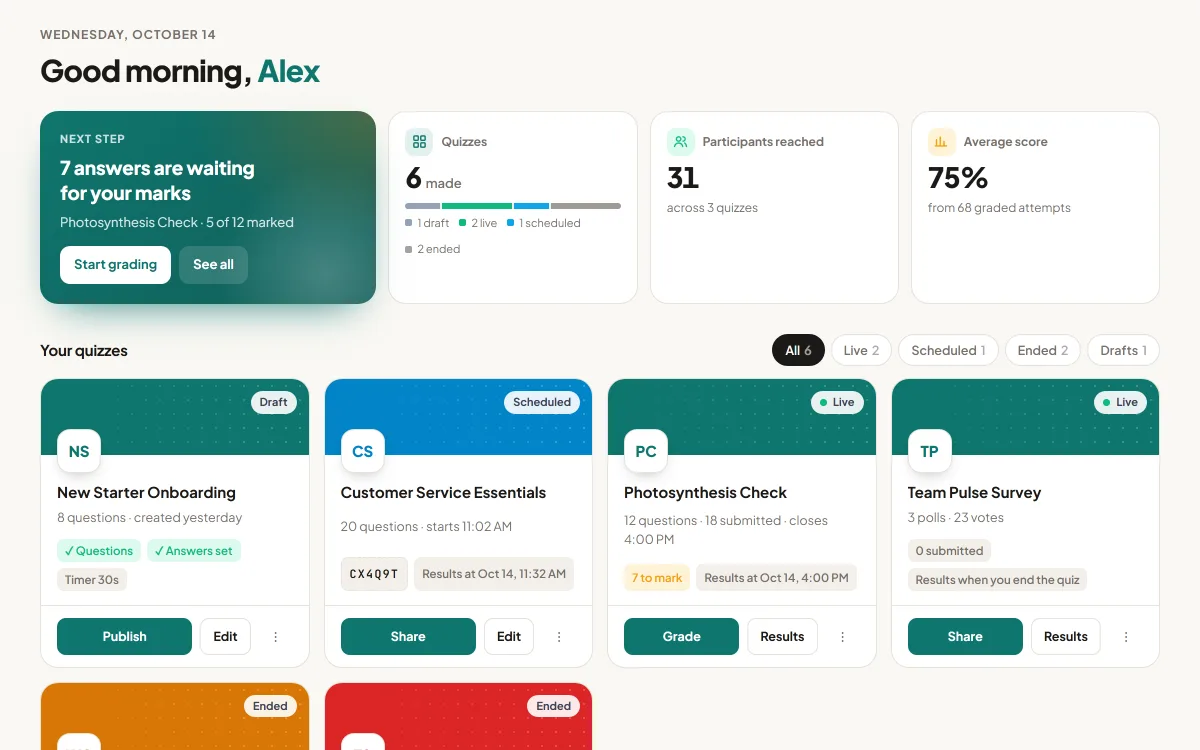
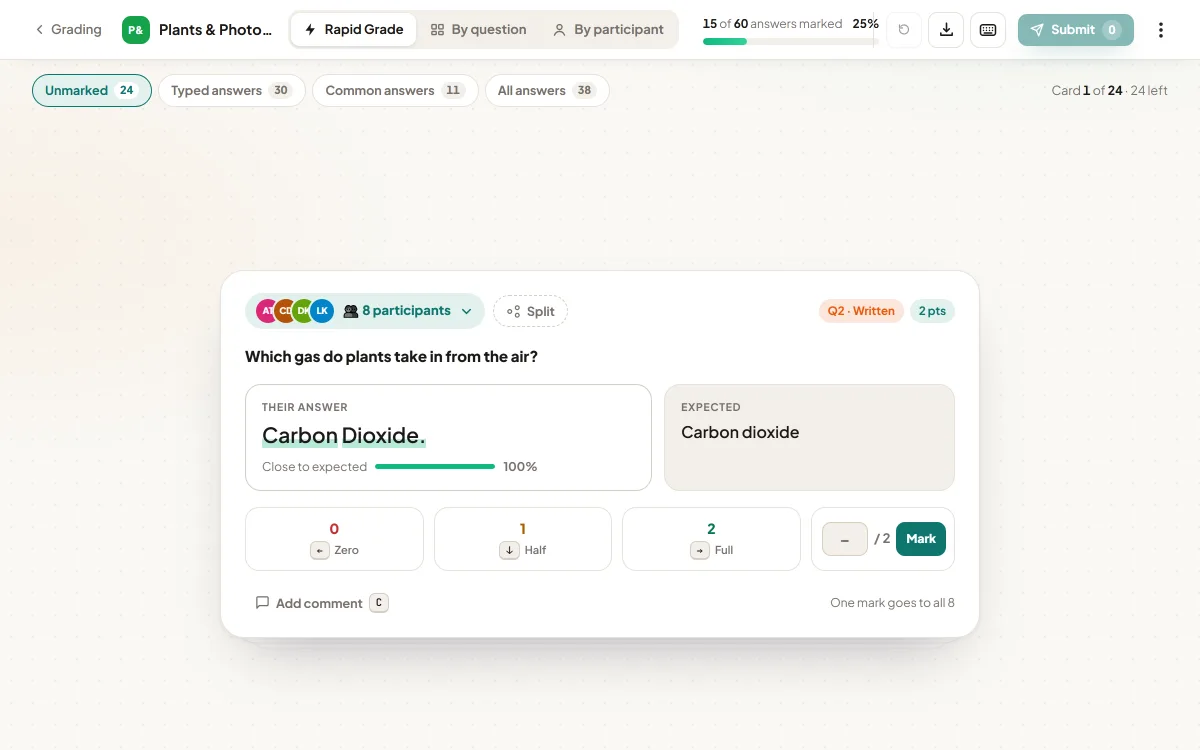
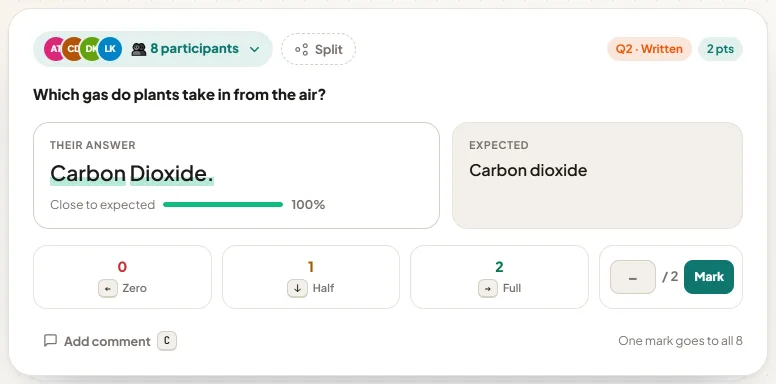
Eight identical answers. One keystroke.
Same answers are grouped and typos forgiven — then one key marks them all.
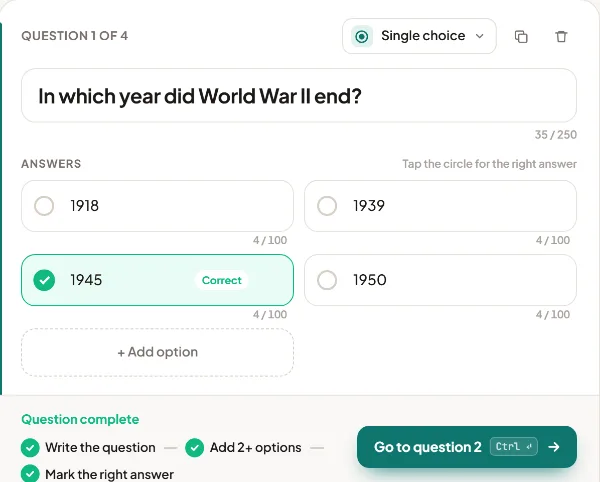
A full quiz in minutes.
Six question types, templates and keyboard shortcuts.
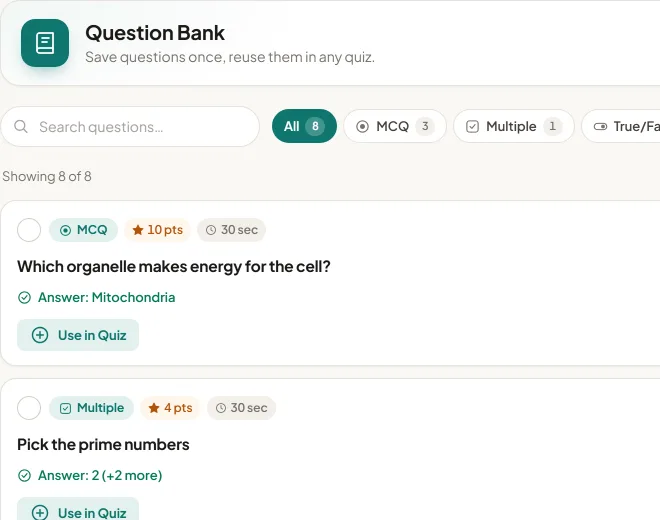
Import once, reuse anytime.
Paste or upload .txt / .csv, keep a Question Bank.
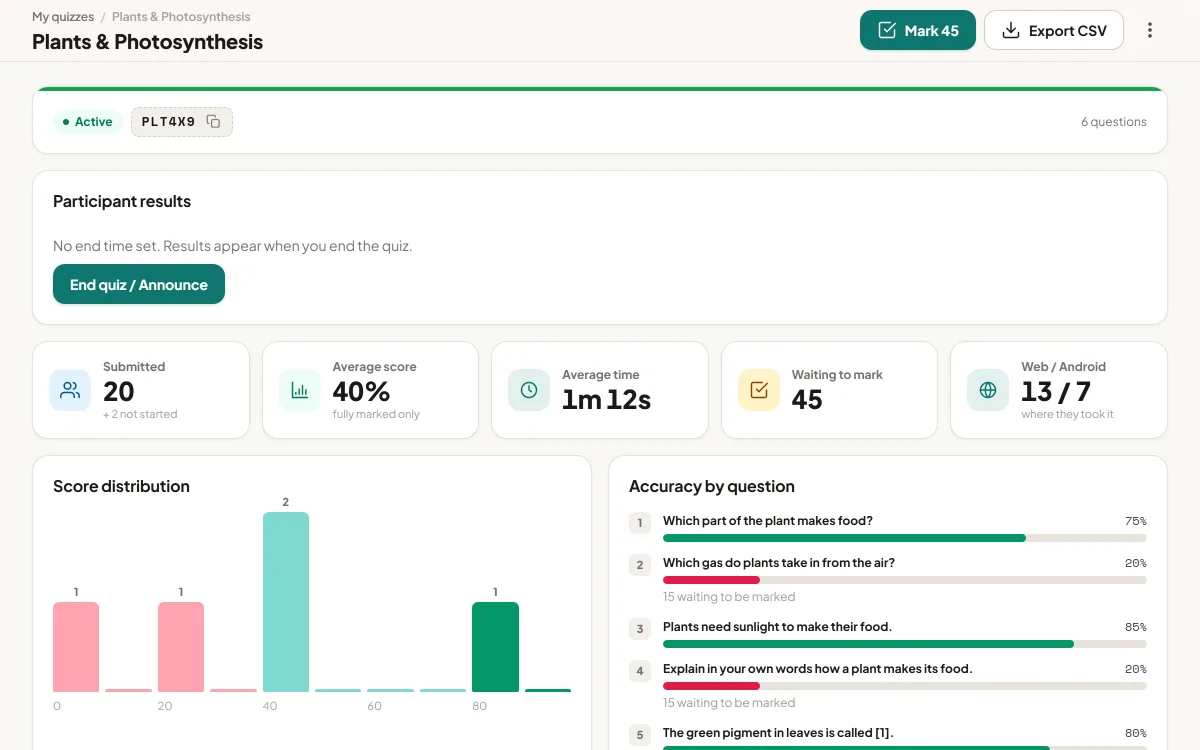
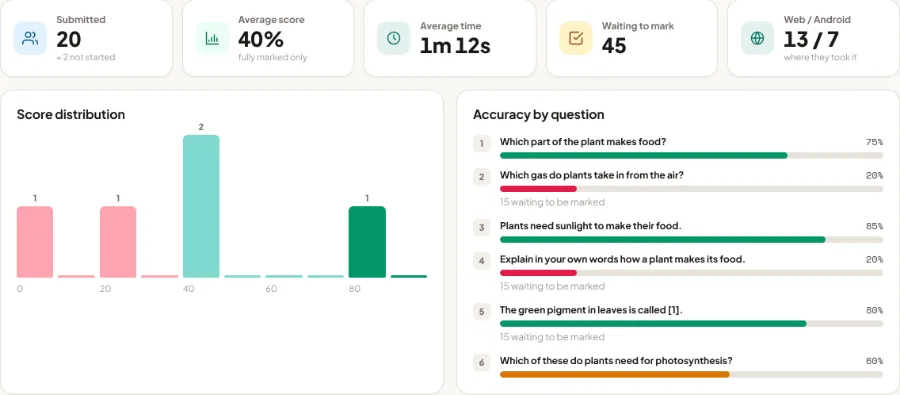
See who needs help, at a glance.
Score spread, accuracy per question, PDF / Excel / CSV reports — and you choose when results go out.
- 💻Make it in Studio
- 📱Take it on a phone or the app
- ✅Mark it anywhere
Built for real classrooms, not test-taking anxiety.

100% Free & Ad-Free
No ads and no selling your data. Every feature is free to use today. Just a quiz tool that works.
 Free for Everyone
Works Without Wi-Fi
Answers save right on the device, so when the Wi-Fi drops, nothing does. Everything syncs back the second it's online again.
 Syncs Automatically
Two Ways to Grade
Quick questions grade themselves in an instant. Anything open-ended waits patiently for you — no shortcuts, no guesswork.
 Auto + Manual
Easy to Join
One tap to sign in with Google — no password to create, no long form to fill in before class starts.
 Join in Seconds
 The Idea Behind Quizoma
Auto-Grading or Marking It Yourself
Most quiz apps mark an answer wrong for one typo or a word swapped for its synonym. Quizoma lets you auto-grade short answers fairly — a close spelling still counts, and "7", "seven" and "7.0" are the same answer. Would rather judge every answer yourself? Switch the quiz to manual marking.
See the five matching rules How Quizoma Works
From Question to Result in Four Steps
Every Format Your Classroom Needs
From quick multiple-choice checks to long written answers — build the exact quiz your lesson needs.
Single Choice (MCQ)
Pick the one correct answer, with points and an optional time limit per question.
Multiple Correct
Select every correct option. Participants get credit for what they got right, and guessing every box isn't rewarded.
True / False
A simple true-or-false question, with an optional box for participants to explain their answer.
Written Short Answer
Participants answer in their own words. Quizoma can grade it automatically with typo-tolerant matching, or you can switch the quiz to manual marking and grade every answer yourself.
Fill in the Blanks
Participants type the missing word into a sentence. Each blank carries its own list of accepted answers, and capitals and punctuation are ignored.
Polls
A quick, ungraded poll to check how the class feels. Results appear as a simple bar chart as answers come in.
Missing something? Ask for it.
Tell us the feature or update you need. Every request is read by the team, and the most-asked ones go to the top of the list.
Email not opening? Write to support@quizoma.com
Already using the app? Menu → Feedback works too.
- 1You askPick “Feature request” and describe it.
- 2We read every oneReplies show up in Send feedback.
- 3Most-asked ship firstPopular requests get priority.
Frequently Asked Questions
Small typos and close spellings are accepted, and numbers match in any form, so a spelling slip does not cost marks. If you would rather read every written answer yourself, switch the quiz to manual marking and nothing is graded automatically.
Answers are saved on the device as participants work, so a dropped connection never loses their progress. Everything syncs back up automatically once they're online again.
There's nothing to pay. Participants join with a 6-character quiz code or QR code, then sign in with their Google account — no password to create, no separate signup form.
Yes. Scores, answers, and a full PDF report are generated automatically for every quiz, ready to save or share.
Yes. Quizoma Studio lets you build, share and grade quizzes in any browser — free, signed in with Google. Quizzes you make there also appear in the Android app, and the other way round.
The Quizoma app launches free on Google Play on 1 November 2026. Until then you can build quizzes in Quizoma Studio and participants can take them in the browser.